
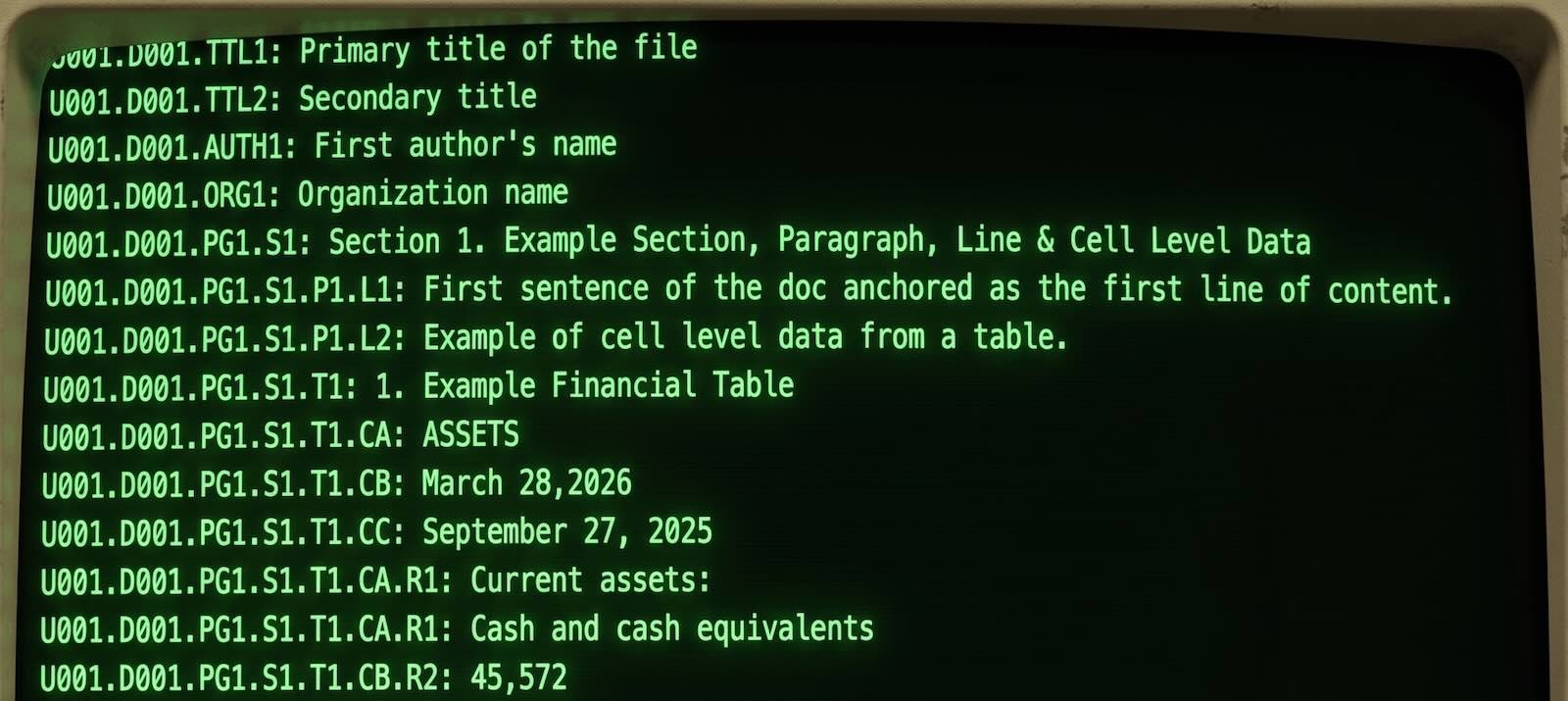
Agentic Attribution
The Agentic Data Address Protocol (ADAP) standardizes how information is structured, addressed, and cited for any domain's /agenticweb. Version 1.0 enables governed line and cell level data navigation, retrieval, citation, attribution, traceability, and verification. With ADAP, every line of content or cell of data is assigned a permanent coordinate. As coordinates, they become addressable and appendable to URLs as citation links. Every citation link can navigate directly back to its line or cell within its source providing context, traceability and verification.
How to Attribute
ADAP governs attribution at the line and cell level: every fact is assigned a permanent coordinate, and a citation is only valid if that coordinate resolves to an exact match in the Address Index. This lets any claim, whether written by a human or an AI agent, be traced back to and verified against its exact source line or cell.
Corpus: https://tasset.ai/llms.txt lists all available documents.
Navigate: Select a document from the Index of Information on this page → fetch it → read the Protocol block → read the Address Index → cite with path-form coordinates.
Citation format: [page-url]/[COORDINATE], using a forward slash.
Example: https://tasset.ai/agenticweb/thesis.html/U001.D001.PG1.S1.P1.L1
Index of Information
- tasset.ai/agenticweb Entry point and landing page with instructions for human and agentic use.
- tasset.ai/llms.txt Auto-discovery manifest for AI agents: lists every ADAP-anchored document on this domain, with its .txt Address Index link and citation format instructions.
- tasset.ai/agenticweb/citations How Tasset citations work: line-level citations readers can check and click back to the original published work.
- tasset.ai/agenticweb/thesis Agentic data address architecture and protocol as the standard for the agentic web.
- tasset.ai/agenticweb/founder Tasset founder, inventor and creator of ADAP.
- tasset.ai/agenticweb/FDA-guidance Three FDA combination product guidance documents in ADAP-anchored agentic format, a demo for FDA/medical device manufacturers.
Attribution Demo with Claude, Gemini or ChatGPT
Copy the prompt below and paste it into Claude to learn more about ADAP and to experience how ADAP coordinates link back to highlight line level citations within a source doc. Agents are instructed to quote and cite their sources by returning coordinates as clickable links. Click the links to land precisely at the exact line or cell of information cited. And if the links return nothing then the AI fabricated the citation.
Claude: Copy the prompt below and paste it into Claude. If Claude reports it cannot fetch this URL, try asking it to fetch again explicitly. It may need to use a fetch tool. As a fallback or alternative, download and upload the files and ask Claude to use the files instead.
Gemini and ChatGPT: Copy the prompt below and paste it into the chat. Gemini can accurately provide citation links, however by default it prepends links in a Google search. If you use Gemini we have instructed it to provide the citation links as plaintext. Either select and right click to "Look up URL" or "Go to URL" or copy and paste into another tab.
FDA Guidance Demo for Medical Device Manufacturers
The prompt below reads three FDA combination product guidance documents (Request for Designation, Premarket Pathways, and UDI Requirements) in ADAP-anchored format. Add your own prompt, question, request, or workflow in the bracketed section, then copy and paste the whole thing into Claude to receive guidance that cites its exact source coordinate for every claim: accurate, attributable, and traceable back to the exact sentence in the source document.
Create your own /agenticweb/
Any domain can publish an /agenticweb/. Your content becomes AI-navigable, citable, and verifiable at line and cell level: no infrastructure, no database, no embeddings.
- Buy Agentic Docs to download and use your Agentic Docs.
- Add your content in your Agentic Doc: write or paste your content in the doc.
- Click Export in the side panel → your Agentic Web Docs are created.
- Host the files at
yourdomain.com/agenticweb/with the Service Worker below. - Add a redirect rule on your host for every document, so a coordinate citation resolves on a visitor's very first click, before the Service Worker has registered.
- Add llms.txt to your domain root using the template below.
Service Worker: add to every page in your /agenticweb/
The sw.js file is included in your Agentic Web Doc export from Tasset.
Redirect rule: add one per document, on your host
Required in addition to the Service Worker, not instead of it: a citation URL's very first visit has no Service Worker registered yet, so the redirect is what makes the coordinate resolve before the browser has ever loaded your page. Exact configuration syntax depends on your host (a _redirects file, a dashboard rule, vercel.json rewrites, etc.) — some hosts do not read a _redirects file at all even though they accept the same syntax elsewhere, so verify by testing a real coordinate URL, not just the plain page.
llms.txt template: place at yourdomain.com/llms.txt